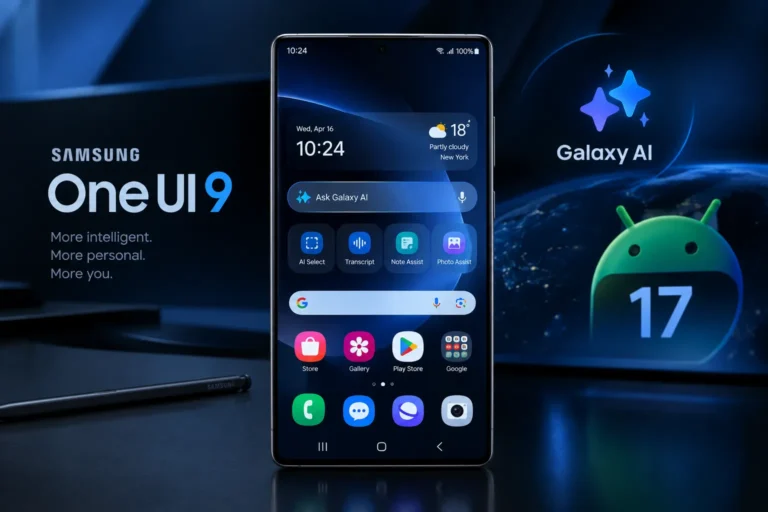



Samsung has officially started rolling out One UI 9, its latest Galaxy software experience, with the Galaxy S26, Galaxy S26+ and Galaxy S26 Ultra among the first smartphones receiving the update. Samsung announced the rollout on September 16, 2026, following the software’s debut on its latest foldable devices.
Built on Android 17, One UI 9 focuses heavily on Galaxy AI, personalization, productivity, privacy and easier device management. Rather than being only a visual redesign, the update introduces new contextual tools designed to help users complete everyday tasks with fewer steps.
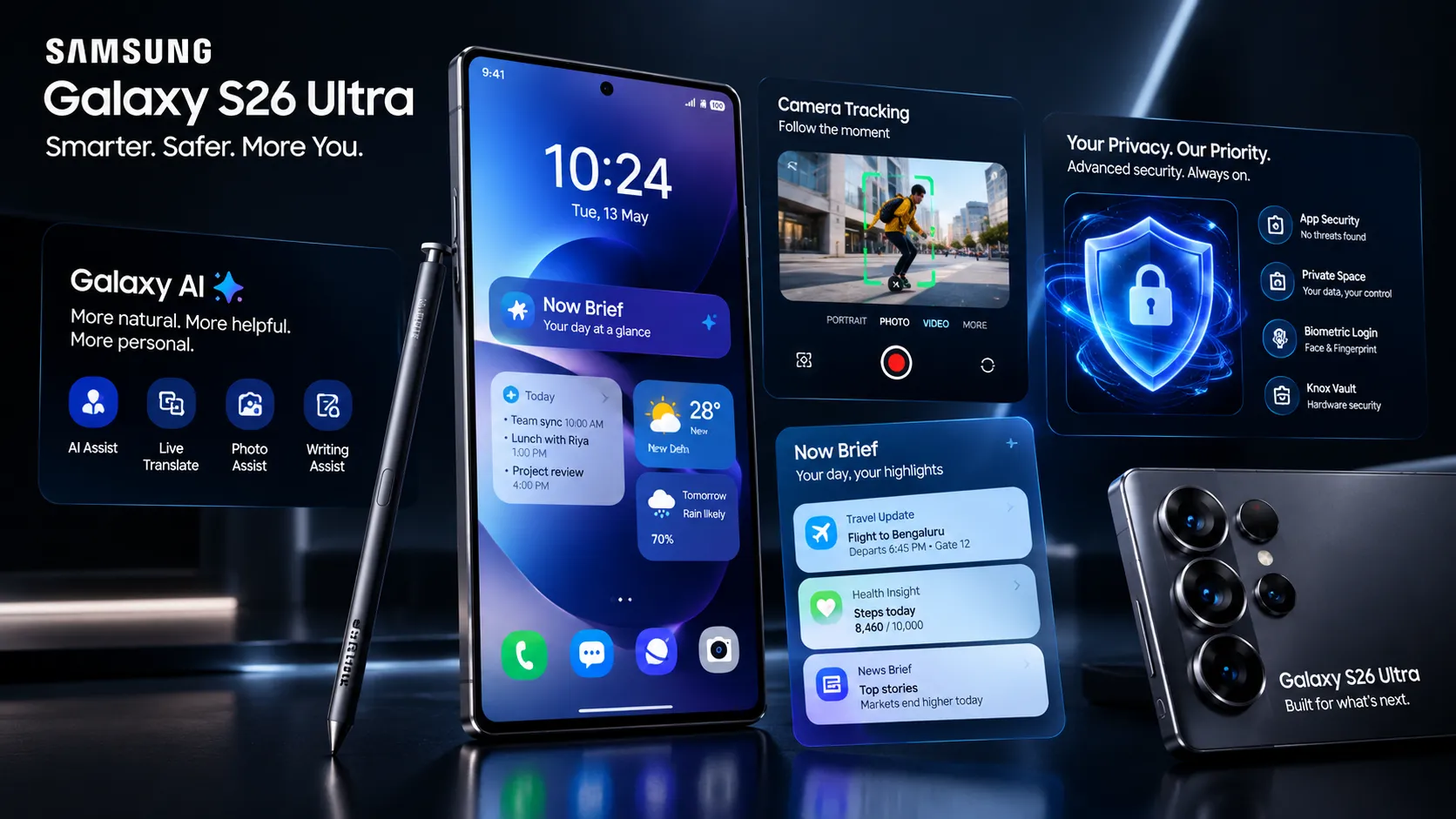
For Galaxy S26 Ultra owners, the update is particularly relevant because the phone already combines Samsung’s latest AI capabilities, high-end camera hardware, S Pen functionality and Privacy Display technology.
What Is One UI 9?
One UI 9 is Samsung’s latest version of its Android-based user interface for Galaxy devices. It is designed to make Samsung phones more personalized, intelligent and easier to operate.
Samsung introduced the One UI 9 beta for the Galaxy S26 series in May 2026. The beta was built on Android 17 and included changes to areas such as the Quick Panel, Samsung Notes, accessibility and security.
The official version expands the experience with additional Galaxy AI-powered capabilities, including My FanCam, Now Nudge, enhanced Now Brief cards, improved Interpreter, Document Scan and new privacy and security tools.
Samsung has confirmed that the rollout is expanding gradually to additional Galaxy devices after the initial rollout to compatible flagship models.
One UI 9 on Galaxy S26 Ultra: What’s New?
The Galaxy S26 Ultra gets access to several of the headline One UI 9 capabilities. Here are the major changes users should know about.
1. My FanCam Can Automatically Track a Person
One of the most interesting One UI 9 additions is My FanCam.
The feature can automatically track a selected person in a recorded video and keep that person centered in the frame. Samsung says the system intelligently reframes footage as the scene changes.
That could be particularly useful for recording children at performances, people at events or athletes during sports activities.
Instead of manually cropping or reframing the footage later, users can use the AI-assisted feature to keep the selected subject in focus.
Samsung notes that My FanCam requires a Samsung Account and that availability and accuracy can vary depending on the video and circumstances.
2. Now Brief Becomes More Personalized
Samsung is also expanding Now Brief, its personalized information summary.
With One UI 9, users can create and edit cards for areas such as health, weather and video. This means the daily summary can be customized around information that matters to the individual user.
The idea is to make Now Brief less of a fixed information feed and more of a personalized daily dashboard.
Samsung says availability can vary according to country, language, device and other factors.
3. Now Nudge Adds Context-Aware Suggestions
Another major Galaxy AI feature is Now Nudge.
The tool is designed to understand context and offer suggestions at relevant moments.
For example, if users are discussing plans through messages, Now Nudge can help surface reservation information or save a location without requiring them to completely leave the conversation.
This is part of Samsung’s broader move toward contextual AI, where the phone attempts to understand what the user is doing and provide a relevant next action.
4. Creative Studio Gets Smarter Suggestions
One UI 9 also expands the role of Creative Studio.
The system can suggest image-generation ideas based on upcoming events. For example, if a friend’s birthday is approaching, users may receive a suggestion to create a themed image or greeting.
This combines Samsung’s generative AI capabilities with contextual information to make creative tasks quicker.
5. Interpreter Gets a New Thread View
For users who regularly communicate across languages, Samsung is adding improvements to Interpreter.
One UI 9 introduces a Thread View, allowing users to follow translated conversations by referencing earlier exchanges more easily.
Samsung also says Conversation Mode translation has become faster, while playback with compatible Galaxy Buds is quicker.
The practical goal is to make translated conversations feel more continuous instead of requiring users to repeatedly stop and restart the translation process.
6. Document Scan Gets Better at Difficult Pages
One UI 9 improves Samsung’s Document Scan functionality.
The updated feature can digitize more challenging materials, including curved book pages and papers with folded corners, with less manual adjustment.
For users who frequently scan receipts, documents, notes or book pages, this can make the scanning process more convenient.
Samsung is also improving the Finger Eraser and large-screen-optimized views on supported Galaxy devices.
7. Voice Recorder Summaries Become Easier to Read
The Voice Recorder app is also receiving an AI-focused improvement.
Instead of presenting summaries as a simple block of text, One UI 9 can organize information using elements such as headings and tables.
This could be useful for students, journalists, professionals and anyone who records meetings or interviews and needs to review the key points quickly.
The feature is part of Samsung’s wider effort to turn raw recordings into more structured information.
One UI 9 Brings New Privacy Features
Privacy is another major focus of One UI 9.
Privacy Alerts
Privacy Alerts use on-device AI to identify potential privacy risks, including unnecessary attempts by apps to access permissions in the background.
The feature is intended to give users greater visibility into how information and permissions may be accessed.
Samsung lists Privacy Alerts as supported on a range of newer Galaxy smartphones and tablets, including the Galaxy S26 and S26 Ultra.
However, Samsung also cautions that privacy alerts may not identify every possible risk.
Security Brief
One UI 9 also introduces Security Brief, which brings important security and privacy information into Now Brief.
Users can receive alerts relating to issues such as malware, apps from unknown sources and unnecessary permissions.
This creates a more visible way of communicating potential security concerns rather than leaving them buried inside device settings.
Scam Detection Expands
Samsung is also expanding Scam Detection to additional countries and languages.
According to Samsung, the feature will be available in Japan, Canada and India as part of the expanded rollout.
Availability can still depend on factors such as country, language, device model and software version.
For users in India, this is particularly relevant as smartphone-based fraud and scam calls remain an important security concern.
One UI 9 Makes Device Care Easier
Another practical addition is the new Warranty and Care section.
Samsung is bringing more device-support functions directly into Settings. Users can check warranty coverage for connected devices, run diagnostics, view repair estimates and manage Samsung Care+ or book service appointments where supported.
This means users may not need to search through multiple Samsung apps or websites for basic device-care information.
The exact functions available can vary by country and region.
What About the Quick Panel?
The One UI 9 beta had already introduced changes to the Quick Panel.
Samsung’s beta documentation highlighted more flexible controls, including independently adjustable brightness, sound and media-player areas, along with additional sizing options.
The change is part of Samsung’s broader effort to give users more control over how frequently used settings are arranged.
Because the beta and final software can differ by device and region, users should check the version available on their particular Galaxy phone.
One UI 9 and Galaxy S26 Ultra Hardware Work Together
The software update is particularly interesting on the Galaxy S26 Ultra because Samsung designed the device around AI-heavy workloads.
The phone features a customized processor with improvements to CPU, GPU and NPU performance compared with the Galaxy S25 Ultra. Samsung also highlights its 200MP wide camera, advanced AI-powered photography tools, S Pen support and built-in Privacy Display.
The Galaxy S26 Ultra’s existing Photo Assist allows users to describe desired image edits using natural language, while Creative Studio can be used for AI-assisted creative content.
This means One UI 9 does not introduce AI to an otherwise conventional flagship. Instead, it expands an AI-focused experience that Samsung has already built into the S26 Ultra.
Does One UI 9 Mean the Galaxy S26 Ultra Gets a New Design?
One UI 9 is not primarily about completely redesigning the Galaxy interface.
The bigger emphasis is on AI-powered interactions, contextual suggestions, personalization, privacy and productivity.
Some interface areas have changed, including the Quick Panel and information presentation, but the most important differences are functional rather than simply cosmetic.
For Galaxy S26 Ultra users, features such as My FanCam, Now Nudge, enhanced Now Brief, Interpreter improvements and Privacy Alerts are likely to be more noticeable in everyday use than a simple icon or theme redesign.
One UI 9 Update Availability
Samsung officially began the One UI 9 rollout on September 16, 2026, starting with the Galaxy S26 series, including the Galaxy S26 Ultra.
Samsung has also confirmed that the software is being expanded to more compatible Galaxy devices gradually.
Availability can vary by model, country, carrier and software-release schedule. Therefore, not every Galaxy device will necessarily receive all One UI 9 features at the same time.
Galaxy users can normally check for an available software update through:
Settings → Software update → Download and install
Users should also keep in mind that some AI features require a Samsung Account, an internet connection, language packs or specific supported applications.
What Makes One UI 9 Different?
The biggest shift with One UI 9 is Samsung’s focus on making the phone more context-aware.
Instead of requiring users to open an app, find a tool and perform every step manually, Samsung is increasingly putting AI capabilities into everyday interactions.
For example:
- My FanCam can automatically follow a selected person in video.
- Now Nudge can suggest actions based on what users are doing.
- Now Brief can be customized around personally relevant information.
- Creative Studio can suggest AI-generated content ideas.
- Interpreter can better preserve the context of translated conversations.
- Voice Recorder can organize summaries into easier-to-read formats.
- Privacy Alerts can identify potential permission-related risks.
- Security Brief can bring security information into the user’s daily summary.
The overall direction is clear: Samsung is using One UI as a layer connecting the phone’s hardware, apps and Galaxy AI capabilities.
What Should Galaxy S26 Ultra Users Know Before Updating?
The One UI 9 rollout is official, but users should not assume every feature will work identically in every market.
Samsung specifically notes that availability can vary by country, region, language, device model, carrier and app.
Some functions also require a Samsung Account or network connection.
AI-generated results may not always be accurate, and Samsung provides feature-specific limitations for several of the new tools.
Therefore, the best way to understand the update on a particular Galaxy S26 Ultra is to check the software version and the feature availability shown on the device after installation.
Bottom Line
One UI 9 is a major software update focused less on cosmetic changes and more on Galaxy AI, personalization, privacy and contextual assistance.
For Galaxy S26 Ultra users, the headline additions include My FanCam, enhanced Now Brief, Now Nudge, Creative Studio improvements, Interpreter Thread View, better Document Scan, structured Voice Recorder summaries, Privacy Alerts, Security Brief and expanded Scam Detection.
Samsung began the official rollout on September 16, 2026, with the Galaxy S26 series among the first devices receiving One UI 9. The update will continue expanding to additional compatible Galaxy products.
The exact feature set can vary by market and device, so users should treat Samsung’s regional availability information as the final reference for their particular phone.
FAQ
What is One UI 9?
One UI 9 is Samsung’s latest Galaxy software interface, built on Android 17. It adds new Galaxy AI, personalization, productivity, privacy and security capabilities.
Does Galaxy S26 Ultra get One UI 9?
Yes. Samsung began the official One UI 9 rollout with the Galaxy S26 series, including the Galaxy S26 Ultra, on September 16, 2026.
What are the biggest One UI 9 features?
Major features include My FanCam, Now Nudge, customizable Now Brief cards, Creative Studio suggestions, Interpreter Thread View, improved Document Scan, structured Voice Recorder summaries and new privacy and security tools.
Is One UI 9 based on Android 17?
Yes. Samsung’s One UI 9 beta announcement identified the software as being built on Android 17.
What is My FanCam in One UI 9?
My FanCam uses AI to track a selected person in recorded video and keep them centered through intelligent reframing.
What is Now Nudge?
Now Nudge is a contextual Galaxy AI feature that can provide suggestions based on what users are doing. Samsung gives examples such as surfacing reservation information or saving a shared location during a conversation.
Does One UI 9 improve security?
Yes. One UI 9 introduces features including Security Brief and Privacy Alerts and expands Scam Detection in supported markets.
Will every One UI 9 feature be available on every Galaxy phone?
Not necessarily. Samsung says feature availability can vary by country, region, language, device model, carrier, application and software version.
How can I check for One UI 9 on my Samsung phone?
Go to Settings → Software update → Download and install and check whether an update is available for your device.
“Must Read” – iPhone 18 Pro and iPhone 18 Pro Max: Price in India, Specs, Features, Camera, AI and Release Date