



The use of company laptops has become a normal part of modern IT jobs, especially in large organizations where employees work remotely, from offices, or through hybrid setups. Along with providing access to business applications and internal systems, company-owned devices can also be subject to monitoring and security controls.
For employees searching for information about TCS laptop monitoring, the main questions are usually straightforward: What can a company laptop track? Can work activity be monitored? What information may be visible to an employer? And how does employee monitoring differ from ordinary cybersecurity?
Understanding these points can make laptop monitoring much easier to understand.
What Is Laptop Monitoring?
Laptop monitoring refers to the use of software, security tools, administrative controls, or endpoint management systems to observe and manage activity on a company device.
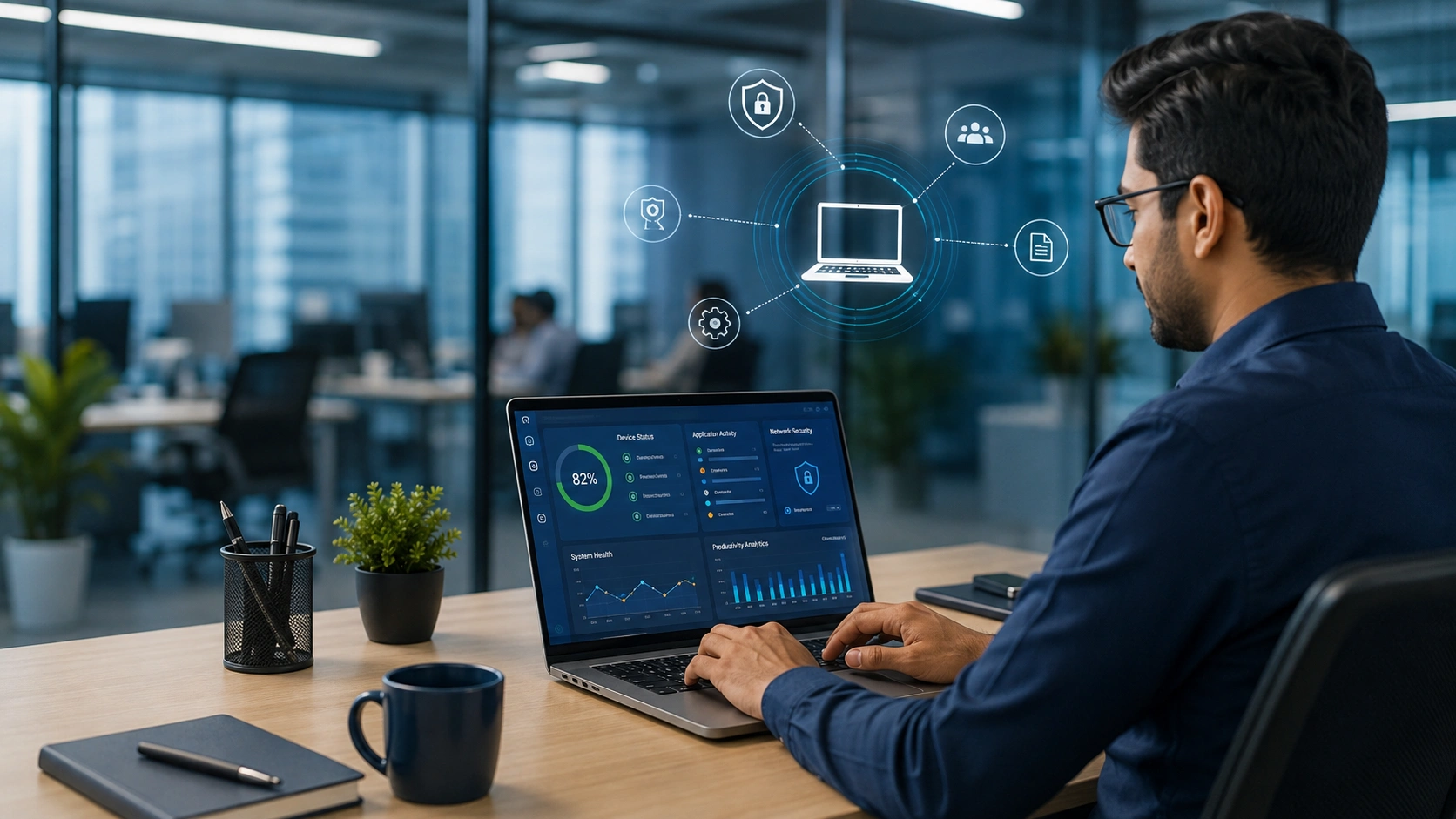
Depending on the organization and the software being used, monitoring can involve different types of information. This may include device health, application usage, login activity, security events, network connections, or other work-related information.
It is important to remember that not every company uses the same monitoring system. The features available to an employer depend on the tools installed, company policies, device configuration, and the purpose for which monitoring is being carried out.
For employees, the simplest approach is to treat a company-issued laptop as a managed business device rather than a personal computer.
What Can an Employer Potentially Track?
The exact information available through an employee monitoring or endpoint management system can vary considerably. Some systems are primarily designed for cybersecurity and device management, while others may include productivity or activity-related features.
Depending on the setup, a managed laptop may provide information such as:
- Device login and sign-in activity
- Installed applications and software versions
- Security alerts and system events
- Network or connection information
- Application or website usage
- Device performance and health
- File or system activity relevant to security
- Updates, configuration and compliance status
This does not mean that every organization automatically records every type of information listed above. Monitoring capabilities depend on the software and policies implemented by the employer.
Is Employee Monitoring the Same as Laptop Tracking?
Not necessarily.
Laptop tracking can refer to locating, managing, identifying, or securing a company device. For example, an organization may need to know which employee or department has been assigned a particular laptop.
Employee monitoring, on the other hand, generally focuses more on activity performed through a company device or workplace system.
These two concepts can overlap, but they have different purposes. A device management system may primarily exist to protect company equipment, while an employee monitoring system may provide additional information about work activity.
If you want to understand the broader topic of TCS employee monitoring and laptop tracking, see our detailed guide on the TCS employee monitoring tool and laptop tracking.
Why Do Companies Monitor Work Laptops?
Monitoring is not always about measuring employee productivity. In many workplaces, device management and monitoring are closely connected with cybersecurity and compliance.
A company may use monitoring and management tools to identify unusual activity, protect sensitive information, manage software, detect security issues, or maintain control over corporate devices.
For large organizations with thousands of employees, centrally managing laptops can also make it easier for IT teams to maintain consistent security standards.
For example, if an important security update needs to be installed across company devices, centralized management can help IT teams identify systems that require attention.
What About Employee Privacy?
Privacy is one of the biggest concerns associated with workplace monitoring.
Employees may use a company laptop for several hours every day, so it is natural to wonder where the boundary between business monitoring and personal privacy exists. The answer depends on the employer’s policies, applicable laws, the device being used, and the monitoring technology involved.
Employees should therefore read their organization’s acceptable-use policy, IT policy, security guidelines, and any monitoring-related notices available to them.
A company-owned laptop should generally not be treated in the same way as a privately owned personal device. Personal browsing, personal accounts, or sensitive information should preferably be kept separate from work systems whenever company policy allows.
Can Monitoring Software Run in the Background?
Some monitoring, security, and device-management tools are designed to operate in the background. This allows IT administrators to manage systems without requiring employees to manually start the software every time they use the laptop.
However, whether a particular tool runs continuously, what it collects, and what information is accessible to administrators depends on its configuration.
This is why it is difficult to give one universal answer about what a particular company’s employees can or cannot be monitored for. The technology and internal policies matter.
What Should Employees Do on a Company Laptop?
Employees who want to avoid misunderstandings should follow a few simple practices.
First, read the company’s IT and acceptable-use policies carefully. These documents usually provide the clearest explanation of how company devices are expected to be used.
Second, avoid assuming that a work laptop has the same privacy expectations as a personal computer.
Third, keep personal activity separate from professional work wherever practical. This can reduce both privacy concerns and accidental exposure of personal information.
Finally, if an employee has a specific concern about monitoring, the appropriate source is the organization’s IT, HR, security, or privacy team rather than assumptions based on a generic monitoring application.
Final Thoughts
TCS laptop monitoring should be understood as part of a wider workplace technology and device-management environment. Monitoring can involve security, device administration, application usage, work activity, or other business-related information, depending on the system an organization has implemented.
The important point is that there is no single monitoring setup that applies to every company or every laptop. The actual capabilities depend on the software, configuration, company policies, and applicable privacy requirements.
For employees, the safest approach is simple: understand the rules for company devices, keep personal and professional activities separate, and check the organization’s official policies when you need to know exactly what may be monitored.
For a broader explanation of how employee monitoring tools and laptop tracking work, readers can also refer to our main guide on TCS employee monitoring tools and laptop tracking.