





Microsoft Outlook New Features 2026: Microsoft is continuing to expand the new Outlook for Windows with regular feature updates focused on productivity, email management, offline access, and AI-powered assistance. Several updates released during 2026 have introduced new tools for managing emails, calendars, shared mailboxes, and PST files, while Microsoft continues to develop Copilot capabilities within Outlook.
The latest changes are part of Microsoft’s broader move toward a more modern Outlook experience, designed to eventually provide users with a streamlined alternative to the classic Outlook application.
New Outlook Gets More Productivity Features
Microsoft has introduced several practical improvements to the new Outlook throughout 2026. Recent updates include Focused and Other inbox views while working offline, giving users greater flexibility when they are not connected to the internet.
The August updates also added a Go to Folder shortcut that can be opened using Ctrl+Y or through the mailbox context menu. The message list can now display an additional content column when users apply sorting.
These changes may appear small individually, but they are aimed at making everyday email management faster for users handling large numbers of messages.
Quick Parts and Improved Inbox Rules
Another useful addition is Quick Parts, which allows users to save and reuse frequently used blocks of content while composing emails. Microsoft also expanded inbox rules with additional conditions, including rules for messages that mention the user or originate outside their organization.
For professionals who send similar messages regularly, reusable content can reduce repetitive typing and help maintain consistency in business communications.
Copilot Brings More AI Assistance to Outlook
Artificial intelligence is also becoming a bigger part of the Microsoft 365 experience. Microsoft continues to expand Copilot-assisted capabilities across its productivity applications, including Outlook. The company describes the new Outlook as providing access to the latest features and Copilot-assisted capabilities alongside its modern interface.
Earlier 2026 updates also brought Copilot features that help users write and revise emails, while Copilot Chat became available in additional Outlook scenarios. Microsoft has also introduced writing coaching that can provide suggestions while users compose messages.
This signals Microsoft’s broader strategy of integrating AI into everyday workplace tasks rather than keeping it as a separate application.
PST Import and Offline Improvements
For organizations and individuals moving data between Outlook environments, PST support has also received attention. In June 2026, Microsoft added support for importing all item types from PST files, including calendar events, contacts and tasks. Users can also move emails in bulk when exporting to PST files.
Offline functionality has similarly improved. Outlook can now continue syncing email in the background even when the application is closed, while additional offline capabilities have been added over the course of the year.
Shared Mailboxes Get Better Support
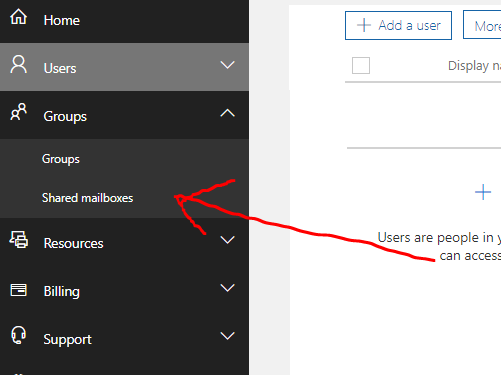
Shared mailbox users have also received improvements. The new Outlook now provides access to the online archive folder for shared mailboxes, making archived messages easier to access.
Microsoft has also added Copilot Chat capabilities for users working with shared and delegate mailboxes, subject to the appropriate Microsoft 365 licensing and organizational configuration.
These changes could be particularly useful for businesses where multiple employees manage common mailboxes or work on behalf of managers.
What Users Should Expect Next
Microsoft continues to update the new Outlook regularly, with new features, performance improvements, fixes and security updates released throughout the year. The company maintains a feature comparison between new and classic Outlook because some capabilities are still different between the two experiences.
For users and IT administrators, the transition means keeping track of Microsoft’s release schedule and checking whether important organizational features are available in the new Outlook before making broader deployment decisions.
Overall, 2026 is proving to be an important year for Outlook, with Microsoft placing greater emphasis on AI, cloud-connected settings, collaboration, offline functionality and improved email management. As additional updates roll out, users can expect the new Outlook experience to continue evolving throughout the year.